# [Blk• Design System PRO](http://demos.creative-tim.com/blk-design-system-pro/index.html)  [](https://github.com/creativetimofficial/ct-blk-design-system-pro/issues?q=is%3Aopen+is%3Aissue) [](https://github.com/creativetimofficial/ct-blk-design-system-pro/issues?q=is%3Aissue+is%3Aclosed) [](https://gitter.im/creative-tim-general/Lobby) [](https://discord.gg/E4aHAQy)
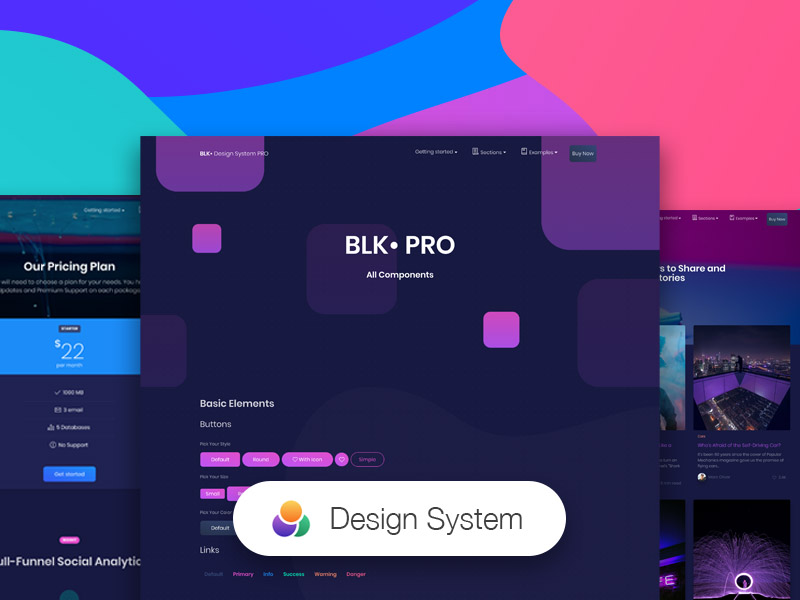
Start your development with **[Blk• Design System PRO](http://demos.creative-tim.com/blk-design-system-pro/index.html)**. It combines colors that are easy on the eye, spacious cards, beautiful typography, and graphics.
Now will help you create a clean and simple website that is a perfect fit for today's black design. It is built using the 12 column grid system, with components designed to fit together perfectly. It makes use of bold colours, beautiful typography, clear photography and spacious arrangements.
## Complex Documentation
Each element is well presented in a very complex documentation. You can read more about the idea behind this design system [here](http://demos.creative-tim.com/blk-design-system-pro/docs/1.0/getting-started/overview.html). You can check the components [here](http://demos.creative-tim.com/blk-design-system-pro/docs/1.0/components/alerts.html) and the foundation [here](http://demos.creative-tim.com/blk-design-system-pro/docs/1.0/foundation/colors.html).
## Bootstrap 4 Support
Blk• Design System PRO is built on top of the much awaited Bootstrap 4. This makes starting a new project very simple. It also provides benefits if you are already working on a Bootstrap 4 project; you can just import the Blk• Design System PRO style over it. Most of the elements have been redesigned; but if you are using an element we have not touched, it will fall back to the Bootstrap default.
## Table of contents
- [Getting Started](#getting-started)
- [Example Pages](#example-pages)
- [Documentation](#complex-documentation)
- [Tutorial](#tutorial)
- [File Structure](#file-structure)
- [Browser Support](#browser-support)
- [Technical Support or Questions](#technical-support-or-questions)
- [Useful Links](#useful-links)
## Getting Started
We've also included an optional Gulp file to help you get started with theme customization. You'll need to install Node.js and Gulp before using our included gulpfile.js.
1. Download the project's zip
2. Make sure you have node.js () installed
3. Type `npm install` in terminal/console in the source folder where `package.json` is located
4. You will find all the branding colors inside `assets/scss/blk-design-system-pro/_variables.scss`. You can change them with a `HEX` value or with other predefined variables.
5. Run in terminal `gulp compile-scss` for a single compilation or `gulp watch` for continous compilation of the changes that you make in `*.scss` files. This command should be run in the same folder where `gulpfile.js` and `package.json` are located
6. Run in terminal `gulp default` for opening the Dashboard Page (default) of the product.
## Example Pages
If you want to get inspiration or just show something directly to your clients, you can jump start your development with our pre-built example pages. You will be able to quickly set up the basic structure for your web project.
- [Live Preview](http://demos.creative-tim.com/blk-design-system-pro/index.html)
- [About Us](http://demos.creative-tim.com/blk-design-system-pro/examples/about-us.html)
- [Product Page](http://demos.creative-tim.com/blk-design-system-pro/examples/product-page.html)
- [Landing Page](http://demos.creative-tim.com/blk-design-system-pro/examples/landing-page.html)
- [Ecommerce Page](http://demos.creative-tim.com/blk-design-system-pro/examples/ecommerce.html)
- [Account Page](http://demos.creative-tim.com/blk-design-system-pro/examples/account-settings.html)
- [Chat Page](http://demos.creative-tim.com/blk-design-system-pro/examples/chat-page.html)
## Tutorial
In order for you to easily be able to use the Blk• Design System PRO, we have created a tutorial page. It shows the structure for the files inside the archive and how to import them. It then features every components with a description and example fr how to use it. You can see the details here ().
## Coming soon
- Vue.js
- Angular
- React
- Sketch
- Photoshop
## File Structure
Within the download you'll find the following directories and files:
Blk• Design System PRO
├── assets
│ ├── css/
│ │ ├── black-kit.min.css
│ │ └── nucleo-icons.css
│ ├── scss/
│ ├── demo/
│ │ ├── src/
│ │ └── vendor/
│ ├── fonts/
│ ├── img/
│ └── js
│ ├── black-kit.min.js
│ ├── core/
│ │ ├── bootstrap.min.js
│ │ ├── jquery.min.js
│ │ └── popper.min.js
│ └── plugins/
│ ├── anime.min.js
│ ├── bootstrap-datetimepicker.js
│ ├── bootstrap-selectpicker.js
│ ├── bootstrap-switch.js
│ ├── bootstrap-tagsinput.js
│ ├── chartjs.min.js
│ ├── jasny-bootstrap.min.js
│ ├── moment.min.js
│ ├── nouislider.min.js
│ ├── perfect-scrollbar.jquery.min.js
│ ├── presentation-page/
│ │ └── rellax.min.js
│ └── slick.js
├── docs/
├── examples/
│ ├── 500-error.html
│ ├── about-us.html
│ ├── account-settings.html
│ ├── blog-post.html
│ ├── blog-posts.html
│ ├── chat-page.html
│ ├── checkout-page.html
│ ├── contact-us.html
│ ├── ecommerce.html
│ ├── 404-error.html
│ ├── invoice-page.html
│ ├── landing-page.html
│ ├── login-page.html
│ ├── pricing.html
│ ├── product-page.html
│ ├── profile-page.html
│ ├── register-page.html
│ └── reset-page.html
├── index.html
├── presentation.html
├── sections.html
└── CHANGELOG.md
## Browser Support
At present, we officially aim to support the last two versions of the following browsers:


 ## Technical Support or Questions
If you have questions or need help integrating the product please [contact us](https://www.creative-tim.com/contact-us) instead of opening an issue.
## Useful Links
- More products from Creative Tim:
- Tutorials:
- Freebies:
- Affiliate Program (earn money):
## Social Media:
- Twitter:
- Facebook:
- Dribbble:
- Google+:
- Instagram:
[changelog]: ./CHANGELOG.md
[license]: ./LICENSE
[version-badge]: https://img.shields.io/badge/version-1.0.0-blue.svg
[license-badge]: https://img.shields.io/badge/license-MIT-blue.svg
## Technical Support or Questions
If you have questions or need help integrating the product please [contact us](https://www.creative-tim.com/contact-us) instead of opening an issue.
## Useful Links
- More products from Creative Tim:
- Tutorials:
- Freebies:
- Affiliate Program (earn money):
## Social Media:
- Twitter:
- Facebook:
- Dribbble:
- Google+:
- Instagram:
[changelog]: ./CHANGELOG.md
[license]: ./LICENSE
[version-badge]: https://img.shields.io/badge/version-1.0.0-blue.svg
[license-badge]: https://img.shields.io/badge/license-MIT-blue.svg